VI

Parking cameras | Types, selection and installation
Parking cameras can record video, recognize license plates or detect parking-space occupancy. Each function requires different equipment, installation angles and processing software. Understanding these differences from the outset helps project owners avoid choosing cameras that do not meet their operating objectives.
What are parking cameras?
Parking cameras are devices that capture images at gates, traffic lanes, parking areas and other locations requiring surveillance. Depending on the configuration, they may transmit images to a recorder, capture license plates for software to convert into text, or analyze whether a space is vacant or occupied. Cameras do not always operate independently. Their data usually goes to a recorder, server or management software for storage, searching, comparison and control of associated equipment. The first question when selecting a camera is therefore what the system needs to observe, identify or decide automatically, rather than simply its resolution.
Common types of parking cameras

| Camera type | Main task | Output data | Typical location |
|---|---|---|---|
| Overview surveillance camera | Monitors people, vehicles and activity | Images or video | Aisles, parking areas, payment points and blind spots |
| LPR/ANPR camera | Captures and recognizes vehicle license plates | Plate image, text string and timestamp | Entrance lanes, exit lanes or vehicle classification points |
| Gate overview camera | Records the vehicle and driver | Images for entry and exit comparison | Same lane as the license-plate camera |
| Parking guidance camera | Detects vacant or occupied spaces | Occupancy, images and location data, depending on the model | Above parking rows or on basement ceilings |
| Pan-tilt-zoom camera | Monitors a wide area with adjustable viewing direction | Video of the selected area | Large areas requiring flexible surveillance |
How do surveillance and license-plate recognition cameras differ?
Surveillance cameras are optimized for monitoring an area, while LPR or ANPR cameras are designed to produce plate images clear enough for character recognition. An overview image may show a vehicle and a plate to the human eye, yet the plate can still be too small, blurred or overexposed for software processing. License-plate cameras generally require a defined capture area, a predictable vehicle direction and image settings suited to lane speed, distance and lighting. LPR usually refers to license-plate recognition, while ANPR emphasizes automatic recognition. The terms are often used similarly, so check the product’s actual functions rather than relying on its name.
| Criterion | Overview surveillance camera | LPR/ANPR camera |
|---|---|---|
| Purpose | Observes the surroundings and records video | Captures plate images and generates recognition data |
| Field of view | Wide enough to show multiple subjects | Narrower, focused on the vehicle passage area |
| Image priority | Clear view of overall activity | Adequate plate size, sharpness and contrast |
| Data used | Video for live viewing or playback | Images, plate characters, timestamps and events |
| Barrier control capability | Not included by default | May be integrated through suitable software or controllers |
Illustrative example: A gate overview camera records the vehicle’s colour and driver, but headlights cause glare on the plate. Staff can still see the vehicle, while the software lacks a clear enough image for automatic plate matching.
Which devices work with parking cameras?

| Component | Role in the operating sequence |
|---|---|
| Sensor or induction loop | Detects an arriving vehicle and generates a trigger |
| License-plate camera | Captures plates and provides recognition data |
| Overview camera | Records vehicles, drivers and lane conditions |
| Card or code reader | Validates tickets, resident cards or access rights |
| Management software | Matches data, calculates fees, logs events and manages permissions |
| Controller and barrier | Receives commands to open or close the lane |
| Server or recorder | Stores data and video for later retrieval |
| LED sign or display | Shows license plates, transaction status or instructions |
See also: Smart parking management system.
Criteria for choosing parking cameras
Selection should begin with each location’s task, vehicle types and site conditions. Car lanes with relatively predictable movement differ from motorcycle lanes where several vehicles may appear together. A consistently lit basement differs from an outdoor gate exposed to changing weather and daylight. High resolution alone does not guarantee readable plates if the angle is wrong, the plate is too small or shutter speed is unsuitable. Beyond image quality, project owners must check connection protocols, event transmission, storage, access permissions, software compatibility and procedures for network or equipment failures.
| Criterion | What to establish before selection |
|---|---|
| Purpose | Surveillance, plate recognition, occupancy detection or a combination |
| Vehicle types | Cars, motorcycles, trucks or mixed vehicles sharing a lane |
| Traffic flow | Direction, lane count, speed and tailgating scenarios |
| Lighting | Headlights, backlighting, dark areas, day/night changes and reflections |
| Capture area | Distance, horizontal and vertical angles, and plate size in the image |
| Environment | Indoor or outdoor use, dust, water, vibration and collision risks |
| Connectivity | Bandwidth, PoE, power supply, cable routes and network equipment |
| Integration | Software, readers, barriers, LED signs and building systems |
| Storage | Retention period, data types, capacity and retrieval methods |
| Maintenance | Access, lens cleaning, replacement and health monitoring |
Where should cameras be installed in a parking facility?
Camera positions must follow decision points and areas where evidence is needed. At gates, plate cameras should cover a predictable vehicle path, while overview cameras should capture the vehicle and driver. On ramps and at intersections, surveillance cameras help review incidents. Avoid positions that create blind spots or face headlights directly without suitable image control. In parking areas, devices must cover the rows or spaces mapped in the software. Every position must also allow technicians to safely adjust, clean and replace equipment.
| Area | Monitoring objective | Camera type to consider |
|---|---|---|
| Entrance gate | Records the vehicle, plate and entry time | LPR/ANPR with an overview camera |
| Exit gate | Matches entry records and payment status | LPR/ANPR with an overview camera |
| Payment point | Records transactions and staff interventions | Surveillance camera with a suitable viewing angle |
| Ramp | Monitors vehicles moving up or down and congestion | Overview surveillance camera |
| Turns and intersections | Monitors conflicts or vehicles travelling in the wrong direction | Fixed or PTZ camera, depending on the area |
| Parking rows | Monitors occupancy and incidents around vehicles | Surveillance or parking guidance camera |
| Walkways and lifts | Supports route review within the permitted scope | Overview surveillance camera |
| Technical areas | Monitors access to critical equipment | Fixed cameras and alerts as required |
See also: Smart parking site survey checklist.
Can license-plate recognition cameras open barriers automatically?
A camera can generate a recognition event, but the decision to open a barrier usually requires software or controller logic. The system must determine whether the plate is authorized, the card or ticket is valid, payment is complete and the lane is in a safe state. Some devices support on-camera processing or control outputs, but direct barrier control should not be assumed for every camera. The design must identify the data source, decision-making device, command path and staff procedure when a plate cannot be read.
| Situation | Possible system response |
|---|---|
| Valid registered vehicle | Software matches the record and commands the barrier to open |
| Unreadable license plate | Keeps the lane controlled and requests manual handling |
| Card and plate do not match | Displays an alert for staff verification |
| Camera connection lost | Switches to the planned backup operating procedure |
| Tailgating | Coordinates lane sensors, barrier logic and alerts |
| Vehicle has not paid | Keeps the barrier closed or requests payment completion |
See also: Smart parking construction costs.
How do occupancy cameras differ from gate cameras?
Gate cameras focus on vehicles passing through a lane, while occupancy cameras monitor parking-space status. Gate data shows which vehicles have entered or exited, but does not automatically reveal their precise parking spaces. Depending on the model and configuration, parking guidance cameras can detect vacancies, help locate vehicles or recognize plates at individual spaces. Results are combined for indicator lights, guidance signs or map interfaces. These camera layers can be integrated, but they answer different questions and should not be treated as interchangeable simply because both use images.
Illustrative example: A facility has LPR cameras at the gates and records 120 vehicles inside. Without sensors, space-level cameras or a method of linking vehicles to locations, the software still cannot identify individual vacant spaces or locate a particular vehicle.
See also: iPGS parking guidance system.
Common reasons cameras struggle to read license plates

| Symptom | What to check | Initial response |
|---|---|---|
| White or overexposed plate | Headlights, reflections or unsuitable exposure | Check capture direction, lighting and image settings |
| Blurred characters | Vehicle movement, vibration or unsuitable exposure time | Check mounting, capture area and settings against device documentation |
| Plate appears too small | Camera too far away or field of view too wide | Narrow the capture area or adjust position and lens |
| Works well only in daylight | Insufficient light or unsuitable day/night settings | Test at night and check supplementary lighting |
| Errors when vehicles deviate from the lane | Recognition area does not cover the actual path | Observe traffic flow and adjust the capture area |
| Intermittent image loss | Power, cables, network equipment or bandwidth | Check connections along the route from camera to server |
| Image becomes progressively unclear | Dust, water, vibration or a changed installation angle | Clean lenses, tighten mounts and inspect regularly |
Parking camera survey and acceptance checklist
Before finalizing camera quantities, a survey should record lane layouts, vehicle directions, vehicle types, lighting and existing systems. Acceptance testing should go beyond a stationary vehicle under favourable conditions. Test realistic situations such as continuous traffic, motorcycles travelling side by side, headlights, darkness and temporary connection interruptions. Assess original images, recognition data, timestamps and software or barrier responses together. Clearly define manual procedures for unreadable plates so the facility remains under control.
| Check group | What to confirm |
|---|---|
| Existing conditions | Lane count and directions, barrier positions, control room and cable routes |
| Vehicles | Cars, motorcycles, trucks, and whether front or rear plates must be captured |
| Traffic flow | Approach direction, actual speed and tailgating situations |
| Daytime | Backlighting, shadows, direct sunlight and reflections |
| Night-time | Headlights, sharpness, contrast and supplementary lighting |
| Data | Images, plate characters, timestamps and correct lane identification |
| Integration | Readers, software, barriers, LED signs and servers |
| Connection loss | Alerts, buffered data and backup operating procedures |
| Retrieval | Search by plate, time or lane and review images |
| Permissions | Who may view or export data and change settings |
| Maintenance | Cleaning, angle checks, power and network condition |
Frequently asked questions about parking cameras
Can an ordinary camera read license plates?
A camera may capture plates under suitable conditions, but reliable automatic recognition also depends on image quality, installation position and analysis software.
What is the difference between LPR and ANPR?
The terms are often used similarly for license-plate recognition. Check the actual functions of the equipment and software.
How many cameras does a parking facility need?
The number depends on lane count, coverage areas, recognition objectives and image overlap, so it must be determined after a survey.
Can a camera open a barrier by itself?
A camera can generate data or events, but the opening command usually requires software or a controller to check configured conditions.
Do basement cameras need infrared?
This depends on lighting, distance and model. Test at the actual location rather than choosing solely by a feature name.
Can one camera provide both overview images and plate recognition?
Sometimes, but wide overview images and focused plate images often have different requirements. Two cameras separate these tasks more clearly where lane reliability is critical.
Viet Chao advises on cameras and parking access control
Viet Chao Joint Stock Company supplies solutions for parking operations, including iParking access control, license-plate cameras, overview cameras, barriers, management software, payment and parking guidance systems. Experience integrating different devices helps the technical team assess cameras against traffic flow, data objectives and overall system response, rather than selecting a standalone model. With drawings, lane numbers, vehicle types and operating requirements, Viet Chao can survey capture positions, connection infrastructure and integration options to develop a suitable configuration. Call Hotline 0898 55 28 88 for advice on smart parking cameras and an integrated control system.
Other news

How many smart parking spaces can a 200 m² automated car park provide? Viet Chao often hears this question from clients seeking advice and planning construction. This example gives project owners a reference for the number of spaces, the system model and the expected cost. How many parking spaces can fit on a 200 m²…
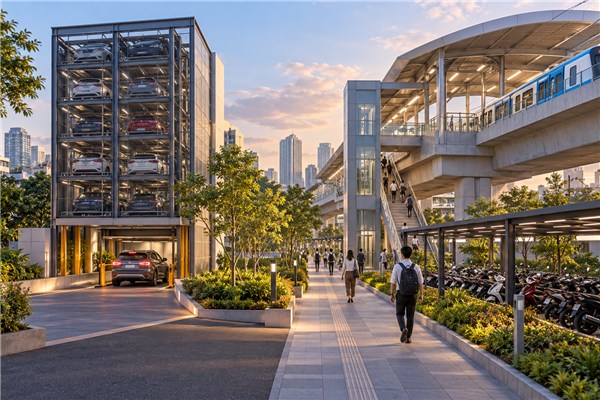
Smart parking near metro stations is gaining attention as public transport networks in major cities expand. Once metro services begin operating, more passengers need to connect private vehicles with public transport. That creates demand for convenient, secure car parks that can be operated efficiently. Around stations, car parks give passengers somewhere to leave their vehicles…

Parking fence height affects how equipment, walkways and protected areas fit together. XIZI iParking recently announced a standard height of 1,100 mm for fixed fencing within the applicable range of its XIZI PSH puzzle parking systems. What does this change mean for the quality of the installation, and why did XIZI choose a new height?…

A sliding pallet parking system can use space in different ways depending on how its pallets move. XIZI offers a double-row PSH configuration that adds front-to-back movement to the horizontal and vertical movement of a standard puzzle parking system. This extra axis brings additional space and equipment requirements. Here is what project owners should consider…

Rooftop parking provides car parking spaces on a building’s roof, making additional space available to meet parking demand. With suitable design and integration with smart parking systems, this area can form part of the building’s traffic and operating plan. Effective implementation, however, requires project owners to address structure, access, parking technology and maintenance together. Explore…