VI

Cashless parking | How it works and choosing a model
Cashless parking reduces ticket collection and small-change handling at exit lanes. This model connects vehicle access control with QR codes, cards, kiosks or transport accounts. Users pay faster, while operators have clear records for reconciliation. The key is choosing a payment method that suits traffic volume and user habits.

What is cashless parking?
Cashless parking uses electronic payments instead of banknotes. Vehicles are recorded by entry time, license plate or ticket code. On exit, the software calculates the fee and checks the transaction. The barrier opens only after the records match. Users can pay by QR code, card, e-wallet, kiosk or linked account. Data from the lanes, devices and software must remain consistent.

4 common parking payment models
Each method has different operating requirements and investment costs. Facilities serving many short-stay visitors often suit QR payments or kiosks. Residential and office buildings often suit linked accounts. The design must specify payment locations and procedures for connection failures or incomplete transactions.
| Model | Suitable for | Advantages | Points to consider |
|---|---|---|---|
| Transaction-specific QR codes | Short-stay visitors | Easy to implement; payment by phone | Requires a stable network and clear transaction identifiers |
| Bank cards or POS terminals | Facilities with a staffed help desk | Familiar to users | Requires shift-based reconciliation procedures |
| Kiosks or apps | Shopping centres and hospitals | Reduces pressure at exit lanes | Requires clearly visible instructions |
| Linked accounts | Residential and office buildings | Fast entry and exit | Requires balance and access-rights management |
The operating process from entry to exit
The process must identify each vehicle and record its parking session. The software must calculate fees correctly. The barrier opens only for a valid transaction. Time, license plates, vehicle images or ticket codes must be synchronized with the software. Staff can then investigate incidents using recorded evidence. During peak hours, payment points should be available before the exit lane.
| Step | Activity | Required result |
|---|---|---|
| 1 | Vehicle approaches the entrance lane | Camera or reader identifies the vehicle |
| 2 | System creates a parking session | Stores the license plate, timestamp and necessary images |
| 3 | User parks the vehicle | Session is recorded in the software |
| 4 | Software calculates the fee | Displays the correct fee based on the tariff |
| 5 | User makes payment | Receives a successful transaction status |
| 6 | System checks the records | Matches the vehicle, parking session and transaction |
| 7 | Exit barrier opens | Stores a log for later investigation |
Illustrative example: A shopping centre installs kiosks near the lifts. Visitors pay before collecting their vehicles.
See also: Smart parking management system.

How do static and transaction-specific QR codes differ?
A static QR code directs users to a fixed payment destination. The system therefore needs an additional step to identify the vehicle and amount. A transaction-specific QR code is generated for each parking session, making automated reconciliation easier. Busy facilities should generally use transaction-specific QR codes. The interface must clearly display the amount and explain how to return to the exit lane.
| Criterion | Static QR code | Transaction-specific QR code |
|---|---|---|
| Payment information | Shared across multiple visits | Linked to an individual parking session |
| Reconciliation | Requires an additional verification step | Easier to match automatically |
| Suitable for | Small, staffed facilities | Busy facilities that need shorter queues |
Where should payment points be located?
Payment points should be located before the barrier. Users need enough time to complete payment. Shopping centres can place kiosks near lift lobbies or exits. Short-stay facilities can display QR codes at exit lanes, provided there is waiting space that does not block traffic. Residential and office buildings can use automatic accounts, with transaction-specific QR codes as a backup for visitors.
Illustrative example: A residential facility uses automatic accounts for residents and transaction-specific QR payments for visitors. A help desk remains available during the transition.
Which components does the system need?
A cashless parking facility needs more than a QR code. It requires vehicle identification at entrance and exit lanes. Barriers, controllers and management software must also be connected. The payment gateway must return the transaction status. Depending on the model, the facility may use kiosks, card readers or instruction displays. Consistent data prevents situations where payment succeeds but the barrier does not open.
| Component | Role | What to check |
|---|---|---|
| Camera or reader | Identifies the vehicle and parking session | Installation angle, lighting and license-plate readability |
| Barrier and controller | Manages vehicle passage through the lane | Opening and closing status; safety signals |
| Management software | Calculates fees, stores data and supports investigation | Tariff rules and access permissions |
| Payment gateway | Receives transactions and returns results | Transaction identifier and response time |
| Kiosk or display | Helps users complete payment | Location, instructions and maintainability |
Benefits for drivers and parking operators
Drivers have more payment options and do not need to carry small change. Operators handle less cash. Transaction logs support investigation and revenue tracking. Operating data also reveals lanes prone to congestion. Managers can identify slow equipment or tariffs that cause confusion.
Common risks and how to manage them
Moving to electronic payment is an operational change, involving more than installing additional equipment. Network failures, pending payments and license-plate reading errors need clearly defined responses. Unfamiliar users also need assistance. Staff must know how to look up transactions and verify vehicles. They should not open barriers manually before the relevant data has been checked.
| Risk | Common cause | Control measure |
|---|---|---|
| Delayed transaction response | Connection or payment-gateway interruption | Display the status and provide a rechecking procedure |
| Visitors only pay upon reaching the exit | Insufficient payment points or instructions | Provide signs, kiosks or QR codes before the lane |
| Vehicle and transaction do not match | Missing or incorrect identification data | Compare the license plate, time and vehicle images |
| Inconsistent staff actions | Insufficient scenario-based training | Standardize shift procedures and incident logs |
See also: Smart parking site survey checklist.
Choosing a model for each type of facility
Hospitals, shopping centres and public facilities have fluctuating visitor numbers. These sites need clear visual instructions. Transaction-specific QR payments or kiosks distribute payment activity across several points. Residential and office buildings can use cards or linked accounts, while still providing visitor payment options. Facilities with multiple exit lanes must check software and network capacity. A slow confirmation step can create peak-hour queues.
| Facility type | Preferred model | Operating requirement |
|---|---|---|
| Residential buildings | Linked accounts; QR payments for visitors | Distinguish residents from short-stay visitors |
| Office buildings | Cards or identified accounts | Manage time-based access rights |
| Shopping centres | Kiosks; transaction-specific QR codes | Payment points before vehicle collection |
| Hospitals | QR payments and kiosks with clear instructions | Assist visitors who need to pay quickly |
Cashless parking implementation checklist
Before launch, operators should survey actual vehicle flows and identify periods when congestion is likely. The checklist must cover infrastructure, tariffs and payment accounts. Signs, staff training and backup arrangements are also essential. Start with one lane or one user group to identify interface problems early.
| Item | What to review |
|---|---|
| Traffic flow | Entrance lanes, exit lanes and payment waiting areas |
| Equipment | Cameras, barriers, kiosks, displays and power connections |
| Software | Tariffs, transaction status, permissions and reports |
| Instructions | QR and kiosk signs; support contact numbers |
| Operations | Network outages, pending payments and transaction checks |
See also: Parking POS terminals | What to test before using the terminal to collect parking fees.
A phased transition from cash collection
An effective transition usually takes place in stages. Initially, the facility can retain a help desk and add QR payment. It can then introduce kiosks or accounts for suitable user groups. Lane numbers and reconciliation procedures can be optimized afterwards. This approach measures adoption and visitor feedback. Operators can identify cases that need assistance before reducing cash collection.
Frequently asked questions about cashless parking
Can a parking facility stop accepting cash immediately?
The transition can be phased according to user groups and existing infrastructure. Initially, a help point should remain available for visitors unfamiliar with the process or whose transactions need checking.
Do transaction-specific QR codes require a continuous internet connection?
Yes. The system needs a stable connection to generate and receive transactions. A backup procedure is required for connection interruptions.
Can kiosks completely replace parking staff?
No. Kiosks reduce repetitive payment tasks. Staff are still needed to guide users, monitor safety and handle exceptions.
What should be checked before choosing an implementation provider?
Check integration between vehicle identification, barriers and software. Also review payment methods and the support process after commissioning.
Viet Chao advises on parking payment systems
Viet Chao Joint Stock Company advises on vehicle control and payment solutions based on the actual site layout. The team assesses traffic volume and operating procedures, then proposes suitable smart parking solutions . The design can connect identification, barriers, software and payment equipment. Call 0898 55 28 88 for support with a site survey and consultation.
Other news

How many smart parking spaces can a 200 m² automated car park provide? Viet Chao often hears this question from clients seeking advice and planning construction. This example gives project owners a reference for the number of spaces, the system model and the expected cost. How many parking spaces can fit on a 200 m²…
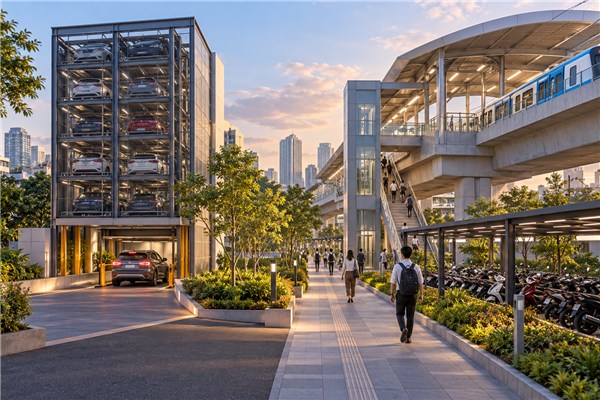
Smart parking near metro stations is gaining attention as public transport networks in major cities expand. Once metro services begin operating, more passengers need to connect private vehicles with public transport. That creates demand for convenient, secure car parks that can be operated efficiently. Around stations, car parks give passengers somewhere to leave their vehicles…

Parking fence height affects how equipment, walkways and protected areas fit together. XIZI iParking recently announced a standard height of 1,100 mm for fixed fencing within the applicable range of its XIZI PSH puzzle parking systems. What does this change mean for the quality of the installation, and why did XIZI choose a new height?…

A sliding pallet parking system can use space in different ways depending on how its pallets move. XIZI offers a double-row PSH configuration that adds front-to-back movement to the horizontal and vertical movement of a standard puzzle parking system. This extra axis brings additional space and equipment requirements. Here is what project owners should consider…

Rooftop parking provides car parking spaces on a building’s roof, making additional space available to meet parking demand. With suitable design and integration with smart parking systems, this area can form part of the building’s traffic and operating plan. Effective implementation, however, requires project owners to address structure, access, parking technology and maintenance together. Explore…