VI

Automatic vehicle counting system | Why counts differ
An automatic vehicle counting system tracks entries, exits and the number of vehicles inside a car park. However, the number of camera detections does not always equal the number of parked vehicles. Understanding counting boundaries and reconciliation helps managers identify the actual cause of discrepancies.

Does an automatic vehicle counting system count movements or vehicles inside?
Before selecting equipment, define what you want to count. Passages through a point, valid entries and vehicles currently inside are different quantities. One vehicle may pass through the observation area several times in a day. Adding every recognition event does not give the number of unique vehicles, and the counting boundary must also be clearly defined.
Depending on the management objective, this boundary may be the main gate or a crossing between two zones. A vehicle passing a camera has not necessarily entered the car park if it has not crossed that boundary. Agree on inbound and outbound directions and the conditions for a valid event. Operators can then tell whether a report describes traffic flow or the vehicles remaining inside; these figures should not all be called available parking spaces.
What data determines the number of vehicles inside?
The basic calculation adds valid entries to the opening vehicle count and subtracts valid exits. Any adjustment must show its value and reason separately. Confirm the opening baseline before using reports. Starting from zero when vehicles are already parked creates an immediate discrepancy. An automatic vehicle counting system must also distinguish new events from retransmitted ones. A repeated plate reading does not automatically represent another vehicle. Entry and exit data must cover the same period and area when calculating occupancy. Arbitrary resets should not conceal adjustments. If the managed boundary changes, record when the change takes effect so that earlier reports remain understandable.
Reconciliation formula: Closing vehicle count = opening count + valid entries − valid exits + logged adjustments.
See also: Parking cameras and their applications.
How do camera and sensor counting differ?
Cameras can provide images for reviewing events as well as counting data. Sensors generate detection signals according to their operating principle and monitoring area. Camera counting requires a suitable field of view and a way to distinguish vehicles. With sensors, installation positions and combined signals influence direction detection. Both approaches need testing against real lane conditions. Do not choose solely on an advertised accuracy percentage. Ask what evidence is retained and how staff investigate errors. The selected approach must meet the defined counting objective.
| Factor | Camera | Sensor |
|---|---|---|
| Data produced | Images or analysis results, depending on configuration | Detection signals based on the device’s operating principle |
| Observation conditions | Mounting angle, lighting, obstructions and capture area | Detection zone, installation position and environment |
| Direction detection | Requires suitable tracking rules and boundaries | Requires suitable placement or combined signals |
| Event review | Stored images can be checked | Requires signal logs or supporting data |
| Testing | Closely following vehicles, U-turns, lane changes and obstructions | Long stops, reversing and repeated signals |
See also: Parking sensors and their roles in smart parking systems.
How should a car park with several gates align its data?
Every gate within the counting area must use the same definition of entry and exit events. If the main gate records entry into the car park but a secondary gate records transfers between zones, combined figures become difficult to reconcile. Time references must be consistent so events can be retrieved in the correct order.
Managers also need to know where data is stored during a connection outage. Recovery must be tested, rather than merely described in a diagram. Before opening another gate, assess its effect on the total count. Review staff and service-vehicle routes as well. If any route is unmonitored, reports must state that limitation instead of presenting the figure as the count for the entire car park.
Illustrative example: The main gate is connected, but service vehicles often leave through an unmonitored secondary gate. The software total gradually rises even though those vehicles have left. Add data collection at the actual boundary crossing or change the reporting scope. Do not reset the count every shift to hide this cause.
Can the total count identify individual vacant spaces?
The number of vehicles inside does not reveal where each vehicle is parked. Individual vacant spaces therefore cannot be identified from entries and exits alone. One zone may have capacity while another is full. Some spaces may be unavailable because of maintenance or vehicle restrictions. To calculate remaining capacity, define the usable capacity for the corresponding area. Guiding drivers to a space or zone requires occupancy detection there. Parking guidance and an automatic vehicle counting system can work together, but they are not a single function. Investigate vacancy discrepancies along the actual data chain. A total display does not, by itself, prove that every bay is monitored.
See also: iPGS parking guidance system | Automatic parking availability reporting in real time
Reconcile and adjust counts while retaining history
Reconciliation must compare observations and data for the same area at the same time. If vehicles are still moving, document how the inspection reference time is established. Staff should look for missing or duplicate events before proposing a correction. Only authorized personnel should make adjustments, with a recorded reason. Logs must include the previous and revised values, time and person responsible. Retain the original data to explain reports. If errors recur, address the cause at the gate or within the synchronization chain. A correction restores reporting but does not repair equipment. Record unresolved issues during shift handover so investigations can continue.

Frequently asked questions
How are U-turns counted?
Check whether the vehicle crossed the counting boundary and in which direction. If an entry was recorded and the vehicle then crosses the boundary to leave, a corresponding exit is needed. A camera seeing a U-turn alone is insufficient to decide. Processing rules must match the lane design.
Can total counts locate vacant bays?
No. A total count shows how many vehicles are within the selected area, rather than identifying individual parking bays. Location guidance requires additional bay or zone data and appropriate integration. Entries and exits should not be used to infer the bay occupied by a vehicle.
Does a network outage cause counts to be lost?
This depends on how the system stores and synchronizes events. Some designs store data locally and transmit it when the connection returns, but this support must not be assumed for every device. Acceptance testing should cover disconnection, recovery and duplicate prevention.
Can existing cameras be used for counting?
Assess their field of view and compatibility before drawing a conclusion. A camera that can see vehicles may still be unable to determine their direction across a boundary or separate closely following vehicles. Check mounting angles, lighting, image quality and processing software.
Viet Chao advises on parking data and access control
Viet Chao supplies iParking solutions with image and plate data, search functions, and vehicle-movement statistics by shift, day and vehicle group. Experience implementing access control for more than 5,000 smart parking spaces helps Viet Chao’s engineers discuss recording methods suited to each site. When considering smart parking, managers can provide gate layouts, the intended counting area and their current reconciliation process. Discussing actual data helps avoid mistaken expectations about capacity or vacant-bay locations. Call 0898 55 28 88 for advice.
Other news

How many smart parking spaces can a 200 m² automated car park provide? Viet Chao often hears this question from clients seeking advice and planning construction. This example gives project owners a reference for the number of spaces, the system model and the expected cost. How many parking spaces can fit on a 200 m²…
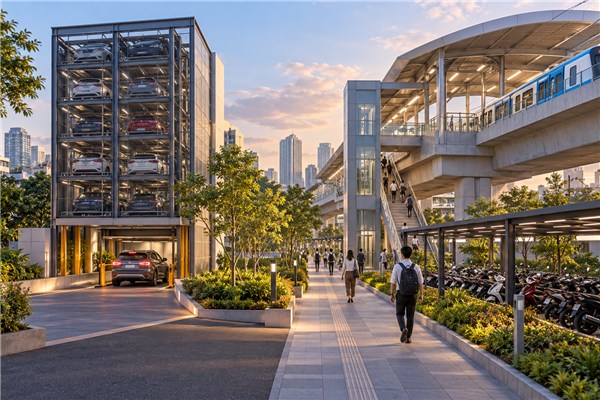
Smart parking near metro stations is gaining attention as public transport networks in major cities expand. Once metro services begin operating, more passengers need to connect private vehicles with public transport. That creates demand for convenient, secure car parks that can be operated efficiently. Around stations, car parks give passengers somewhere to leave their vehicles…

Parking fence height affects how equipment, walkways and protected areas fit together. XIZI iParking recently announced a standard height of 1,100 mm for fixed fencing within the applicable range of its XIZI PSH puzzle parking systems. What does this change mean for the quality of the installation, and why did XIZI choose a new height?…

A sliding pallet parking system can use space in different ways depending on how its pallets move. XIZI offers a double-row PSH configuration that adds front-to-back movement to the horizontal and vertical movement of a standard puzzle parking system. This extra axis brings additional space and equipment requirements. Here is what project owners should consider…

Rooftop parking provides car parking spaces on a building’s roof, making additional space available to meet parking demand. With suitable design and integration with smart parking systems, this area can form part of the building’s traffic and operating plan. Effective implementation, however, requires project owners to address structure, access, parking technology and maintenance together. Explore…